Most 3D projects fail in the same place: not in lighting, not in materials, not in polygon count.
They fail at handoff.
A designer opens the file expecting something they can edit like a product photo. Instead they get a beautiful, flattened image that is fragile, hard to adjust, and impossible to localize without a re-render request.
Production-ready means editable assets, not pretty images.
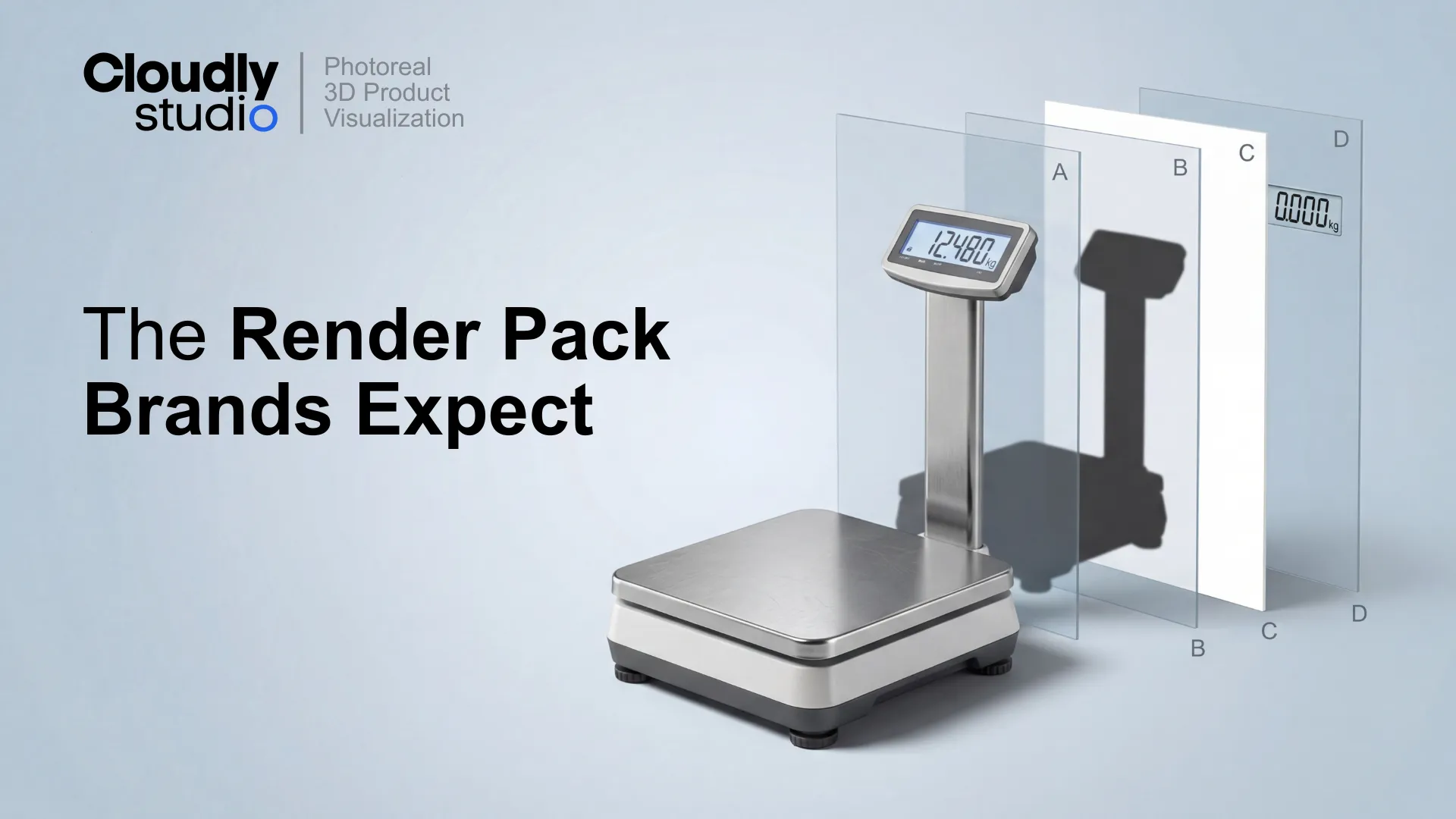
If you want designers to trust 3D, ship a deliverable spec that behaves like a real production asset. The simplest, most reliable standard we have found is a layered TIFF render pack designed for downstream work in Photoshop.
This article defines that standard, explains why it works, and shows the common failure modes that destroy trust.
The job to be done: make 3D behave like source photography
Designers do not want "a render." They want a file that supports real production tasks:
- Localize packaging and UI across regions.
- Swap screen content for different campaigns.
- Adjust grounding and shadow strength for different layouts.
- Keep catalog grids consistent across 100+ SKUs.
- Export variants quickly without degrading quality.
When deliverables are not editable, every small change becomes a new request to 3D. That creates delays, budget friction, and a quiet loss of confidence: "3D is slow, 3D is rigid, 3D does not fit our workflow."
The layered TIFF standard flips that. It turns 3D output into a stable, design-friendly source file.
The spec: non-negotiable deliverables
Here is the baseline. These requirements are deliberate and specific.
A simple naming convention that scales
Naming is not aesthetics. It is coordination. Designers should not have to guess what "Layer 7 copy 2" means. Use a short, ordered naming pattern so files are consistent across contractors, batches, and time.
You can group layers if needed - for example, a Product group with sublayers for accessories - but keep the top level predictable. Predictability is what builds trust.
Why this spec works
1. Speed: edits happen in minutes, not days
If the product is isolated and the background is independent, design can produce variants without touching 3D:
- Marketplace crops
- White background exports
- Banner compositions
- Regional text swaps
- Campaign overlays
The moment a designer can do these changes themselves, the relationship changes. 3D becomes a dependable upstream source, not a bottleneck.
2. Control: the file supports design decisions
When shadows are separate and adjustable, designers can make layout-specific decisions:
- Increase grounding for small thumbnails.
- Reduce density for airy hero layouts.
- Match the look across a grid of SKUs.
When the file is flattened, designers cannot control these variables without degrading the image.
3. Consistency: one catalog looks like one system
A layered TIFF standard is a consistency system . A fixed canvas size lets design templates, crops, and automation stay stable across the catalog. Pick one resolution, document it, and enforce it.
Shadow discipline: why it matters, and what breaks it
Shadows are where "pretty render" turns into "usable asset" or "unfixable headache."
Shadow discipline matters because shadows do three things at once: they anchor the product to the surface, they communicate scale and realism, and they unify a catalog into a coherent visual language. If shadows are inconsistent, the viewer may not know why the catalog feels wrong - but they will feel it.
What good shadows look like
A production shadow layer should be:
- Grounded - clear contact at touch points, not a uniform blur.
- Directional - consistent light direction across SKUs where the catalog demands it.
- Controllable - a designer can adjust opacity without destroying realism.
- Clean - no baked reflections, no background tint, no clipped edges.
Common shadow mistakes that cost designer trust
Shadow discipline is not a finishing touch. It is a spec, a QA check, and a consistency rule.
Screen as smart object: the fastest trust-builder in modern product visuals
If your product includes any screen, display, label, or configurable face, a smart object is the difference between "render" and "asset."
When screens are rasterized into the render, every update becomes a 3D dependency. That is the fastest way to convince marketing teams that 3D is slow. A good screen smart object is perspective-correct, masked to the bezel, and named so designers find it instantly.
Deliverables are only real if they survive review
A layered TIFF is not "done" when it looks good. It is done when it passes review without creating downstream risk. That review should cover two tracks:
- Technical accuracy verification by product teams - dimensions, components, correct variant details.
- Visual QA for the deliverable spec - layers, naming, shadow discipline, smart object behavior.
Deliverable errors compound. A single flawed master file can propagate into dozens of marketing assets before anyone notices.
6 common failure modes in deliverables (and how to spot them fast)
These are not rare edge cases. They are the default outcome when deliverables are treated as "images" instead of "assets."
What a production-ready checklist covers
To make this operational, you need a one-page checklist that can be used by internal producers, contractors, QA reviewers, and client-side designers. It should cover:
- Canvas size and export settings
- Required layers and naming convention
- Shadow rules and what to reject
- Smart object screen setup requirements
- Quick QA tests - hide layers, swap screen content, export background variants
This is what "production-ready" looks like in practice: not a promise, a repeatable gate.